Data Engineering Foundations: A Hands-On Guide
Hey there! If you’ve been curious about data engineering, this guide will help you understand the basics and walk you through practical examples. Whether it’s setting up storage, processing data, automating workflows, or monitoring systems, I’ll keep it simple, relatable, and fun! 😊
What is Data Engineering?
Data engineering involves organizing, processing, and automating data workflows to make raw data useful for analysis and decision-making. Here’s what we’ll cover:
- Storage: Where and how data lives.
- Processing: Cleaning and transforming raw data.
- Automation: Running workflows seamlessly.
- Monitoring: Ensuring everything runs smoothly.
Let’s dive into each step! 🚀
Setting Up Your Environment and Prerequisites
Before we start, let’s set the stage for what you’ll need:
Environment:
- A Unix-based system (MacOS) or Windows Subsystem for Linux (WSL).
- Python installed (preferably version 3.11).
- PostgreSQL installed and running locally.
Prerequisites:
- Basic Command Line Knowledge: We’ll use terminal commands for installations and setups.
- Python Basics: Familiarity with Python syntax.
- Administrative Access: To install and configure software.
Architectural Overview:
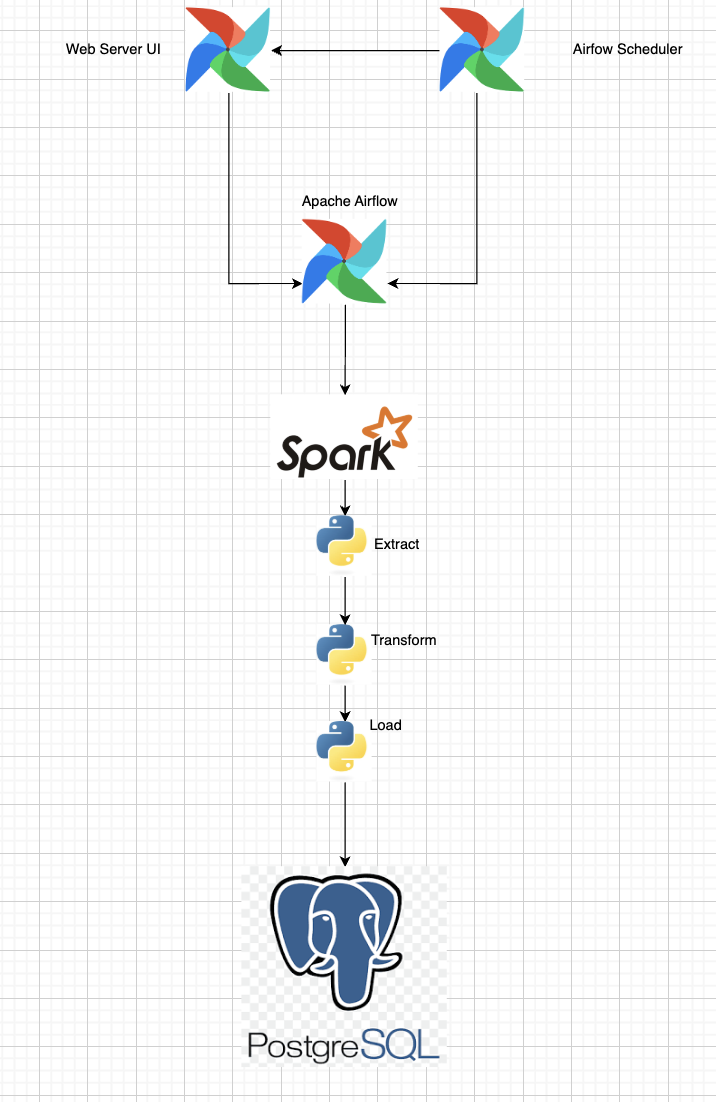
The diagram above provides a high-level view of how the component's workflow interacts; This modular approach allows each tool to do what it’s best: Airflow for orchestration, Spark for distributed data processing, and PostgreSQL for structured data storage.
Install Necessary Tools:
- PostgreSQL:
brew update brew install postgresql - PySpark:
brew install apache-spark Airflow:
python -m venv airflow_env
source airflow_env/bin/activate  # macOS/Linux
#https://raw.githubusercontent.com/apache/airflow/constraints-${AIRFLOW_VERSION}/constraints-${PYTHON_VERSION}.txt
pip install "apache-airflow[postgres]==" --constraint
"https://raw.githubusercontent.com/apache/airflow/constraints-2.10.4/constraints-3.11.txt"

airflow db migrate #Initialize the Database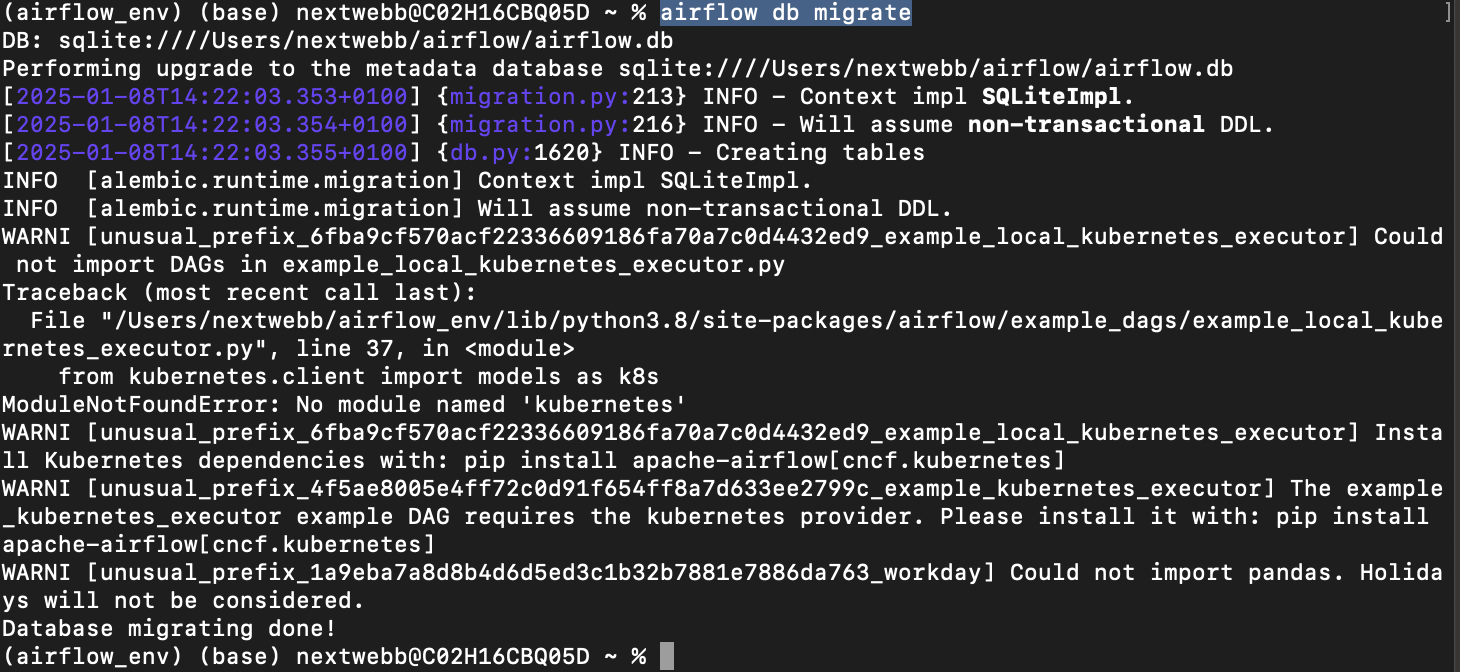
- PostgreSQL:
Now that we’re ready, let’s dive into each component! 💻
1. Storage: Databases and File Systems
Data storage forms the foundation of data engineering. Storage can be broadly categorized into:
Databases:
- Efficiently organized.
- Features include search, replication, and indexing.
- Examples:
- SQL Databases: Structured data (e.g., PostgreSQL, MySQL).
- NoSQL Databases: Schema-less (e.g., MongoDB, Redis).
File Systems:
- Suitable for unstructured data.
- Limited features compared to databases.
Setting Up PostgreSQL
Start the Service:
brew services start postgresql
Create a Database, Connect to Database and Create Table:
CREATE DATABASE sales_data;
\c sales_data
CREATE TABLE sales (
    id SERIAL PRIMARY KEY,
    item_name TEXT,
    amount NUMERIC,
    sale_date DATE
);
Insert Sample Data:
INSERT INTO sales (item_name, amount, sale_date)
VALUES ('Laptop', 1200, '2024-01-10'),
       ('Phone', 800, '2024-01-12');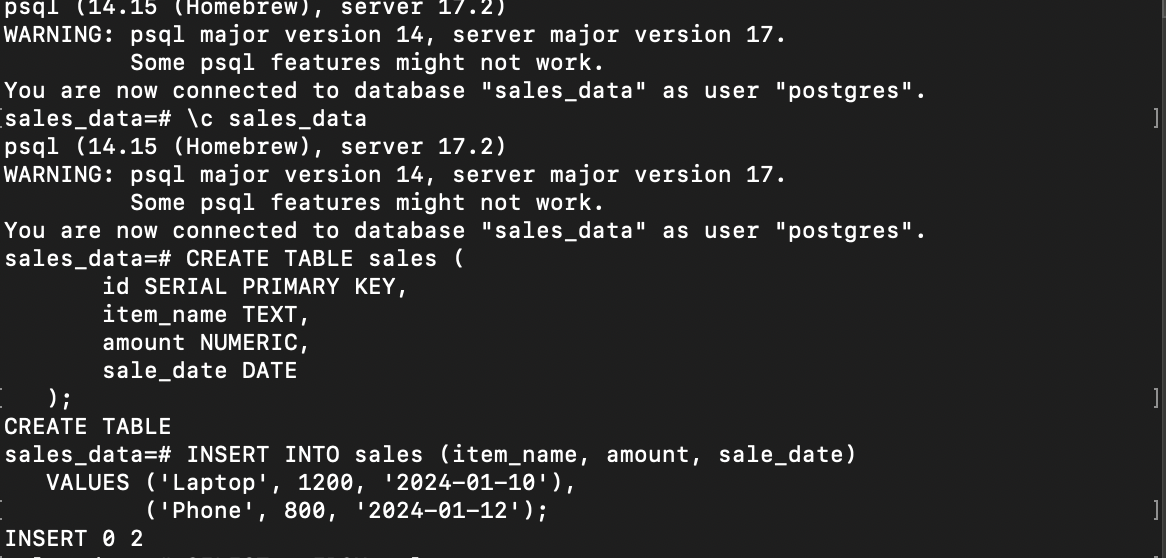
Now your data is safely stored in PostgreSQL! 🏠
2. Processing: PySpark and Distributed Computing
Processing frameworks enable you to transform raw data into actionable insights. Apache Spark, with its distributed computing model, is one such framework that’s widely used.
- Batch and Stream Processing:
- Batch: Processes data in chunks.
- Stream: Processes data in real-time.
- Tools: Apache Spark, Flink, Kafka, Hive.
Processing Data with PySpark
Install Java and PySpark:
brew install openjdk@11 && brew install apache-sparkLoad Data from a CSV: Create a
sales.csvfile:id,item_name,amount,sale_date 1,Laptop,1200,2024-01-10 2,Phone,800,2024-01-12Python script to load and process:
from pyspark.sql import SparkSession

spark = SparkSession.builder.appName("DataProcessing").getOrCreate()

# Load CSV File
df = spark.read.csv("sales.csv", header=True, inferSchema=True)
df.show()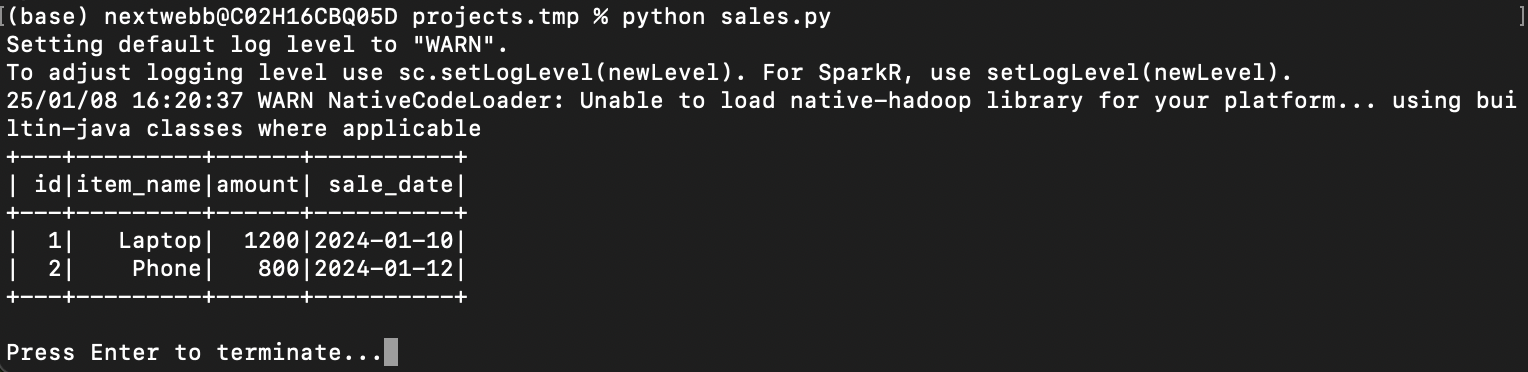
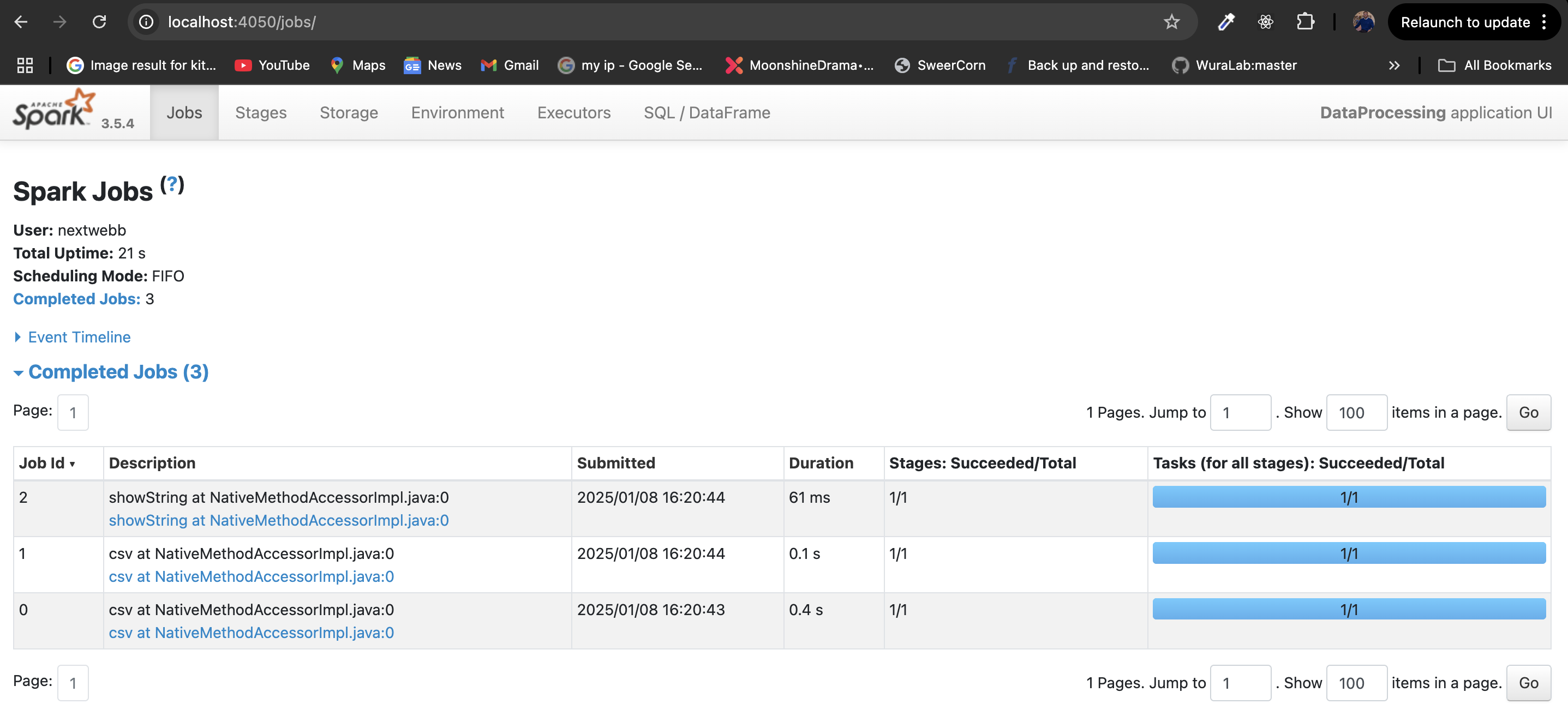
Filter High-Value Sales:
# Filter sales above $1000
high_value_sales = df.filter(df["amount"] > 1000)
high_value_sales.show()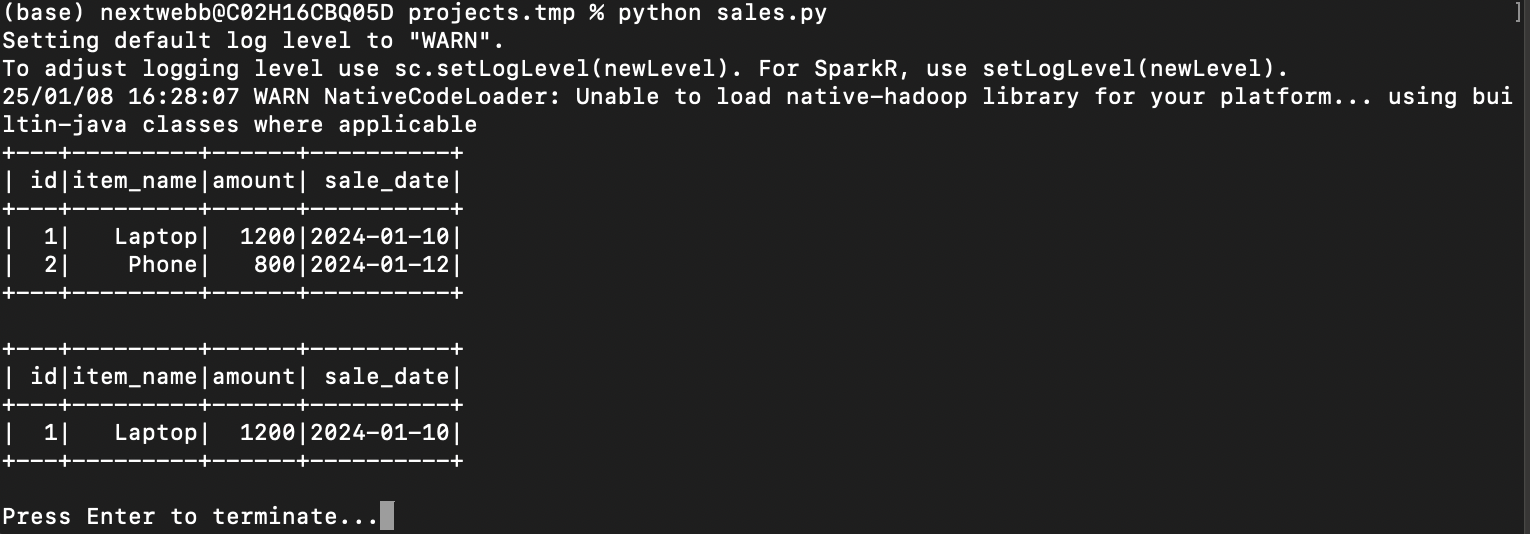
Setup Postgres DB driver: If you don’t find the driver, download it directly from the PostgreSQL website:
curl -O https://jdbc.postgresql.org/download/postgresql-42.6.0.jarThis will download the driver to your current working directory.
Before running the script, verify the .jar file path:
ls -l /path/to/postgresql-42.6.0.jar
Once you locate the driver file, use its full path in your script.
     #Add the PostgreSQL JDBC driver path
     spark = SparkSession.builder \
    .appName("DataProcessing") \
    .config("spark.jars", "/path/to/postgresql-42.6.0.jar") \
    .getOrCreate()
5). Save Processed Data Back to PostgreSQL:
     #Add the PostgreSQL JDBC driver path
     spark = SparkSession.builder \
    .appName("DataProcessing") \
    .config("spark.jars", "/path/to/postgresql-42.6.0.jar") \
    .getOrCreate()

   high_value_sales.write.format("jdbc").options(
       url="jdbc:postgresql://localhost:5432/sales_data",
       driver="org.postgresql.Driver",
       dbtable="high_value_sales",
       user="your_user",
       password="your_password"
   ).mode("append").save()
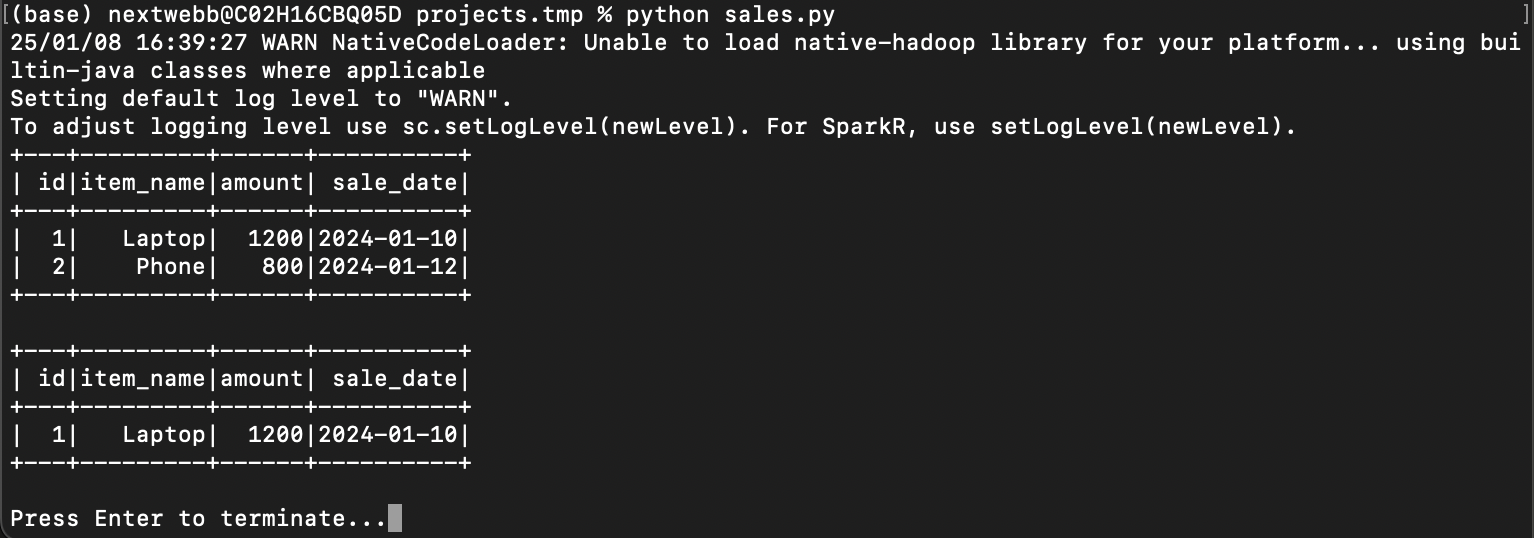
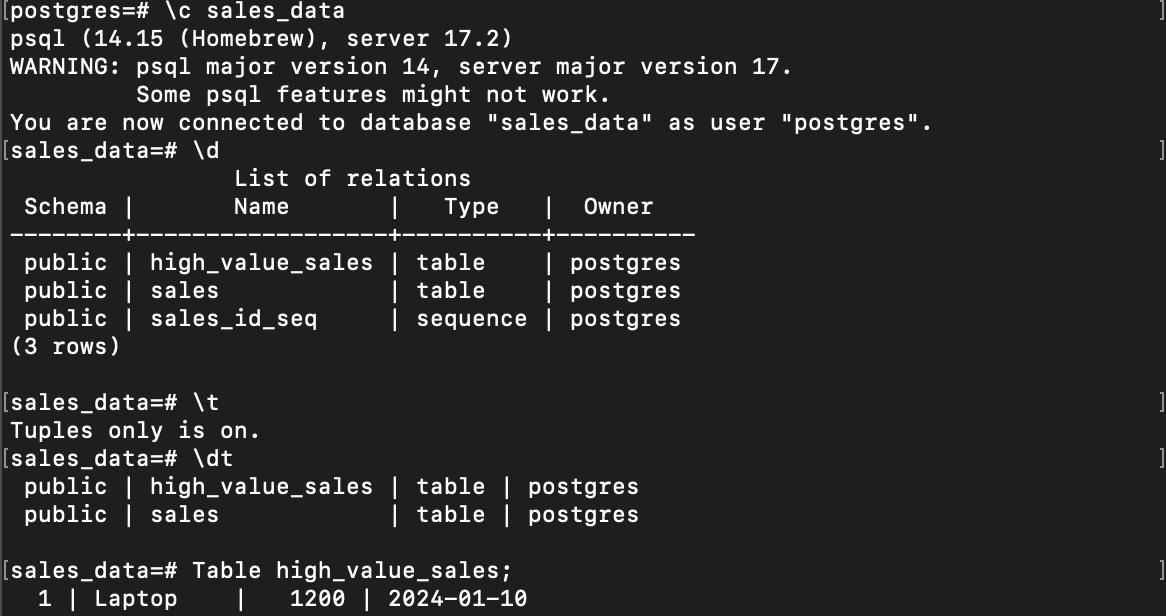
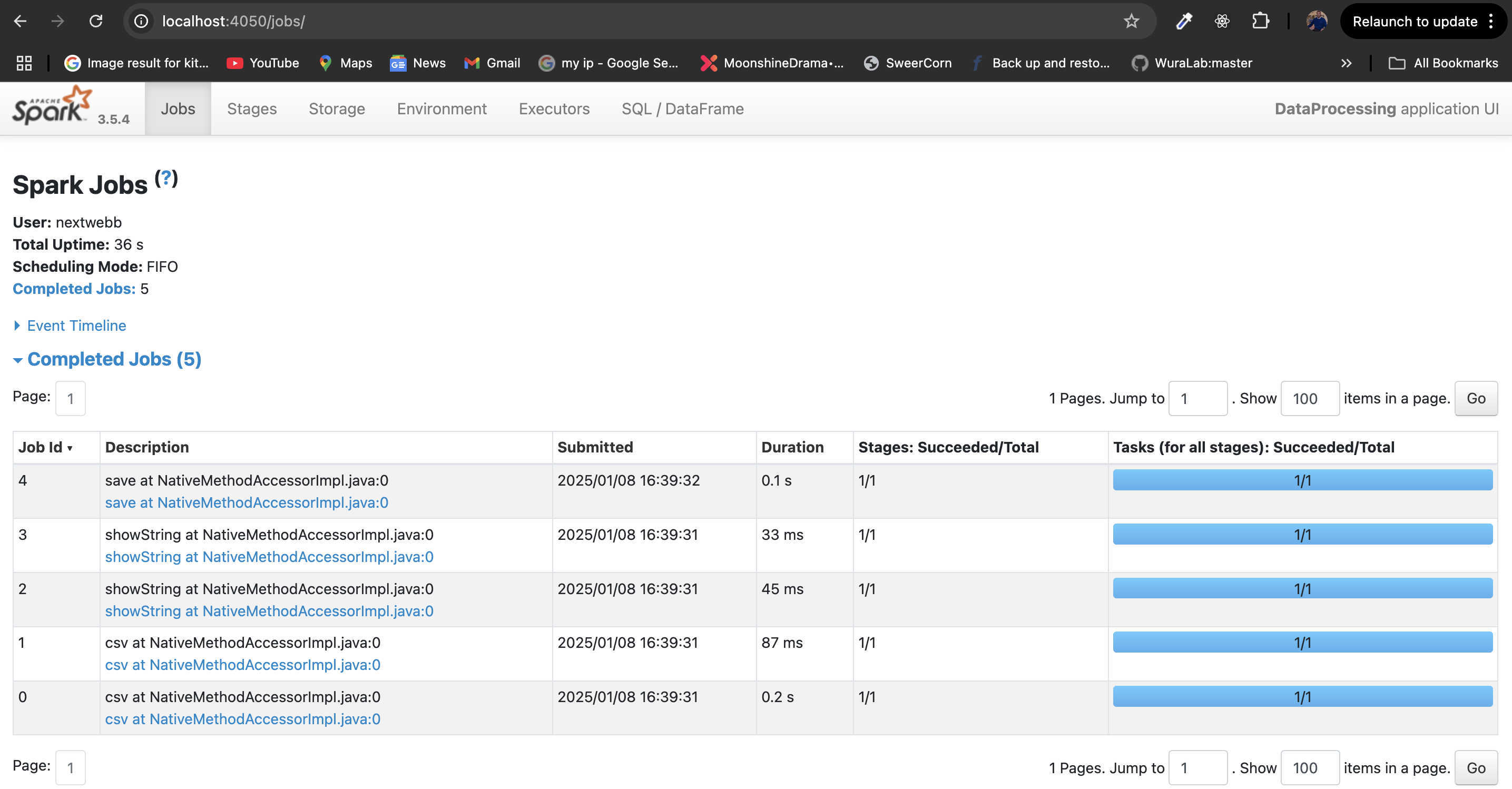 Great work! You’ve processed data using Spark. 🚀
3. Automation: Airflow
Automation helps in managing workflows by setting up dependencies and schedules. Tools like Airflow, Oozie, and Luigi simplify this process.
Automating ETL with Airflow
Initialize apache Airflow:
airflow db migrate

airflow users create \
    --username admin \
    --firstname Admin \
    --lastname User \
    --role Admin \
    --email admin@example.com
airflow webserver &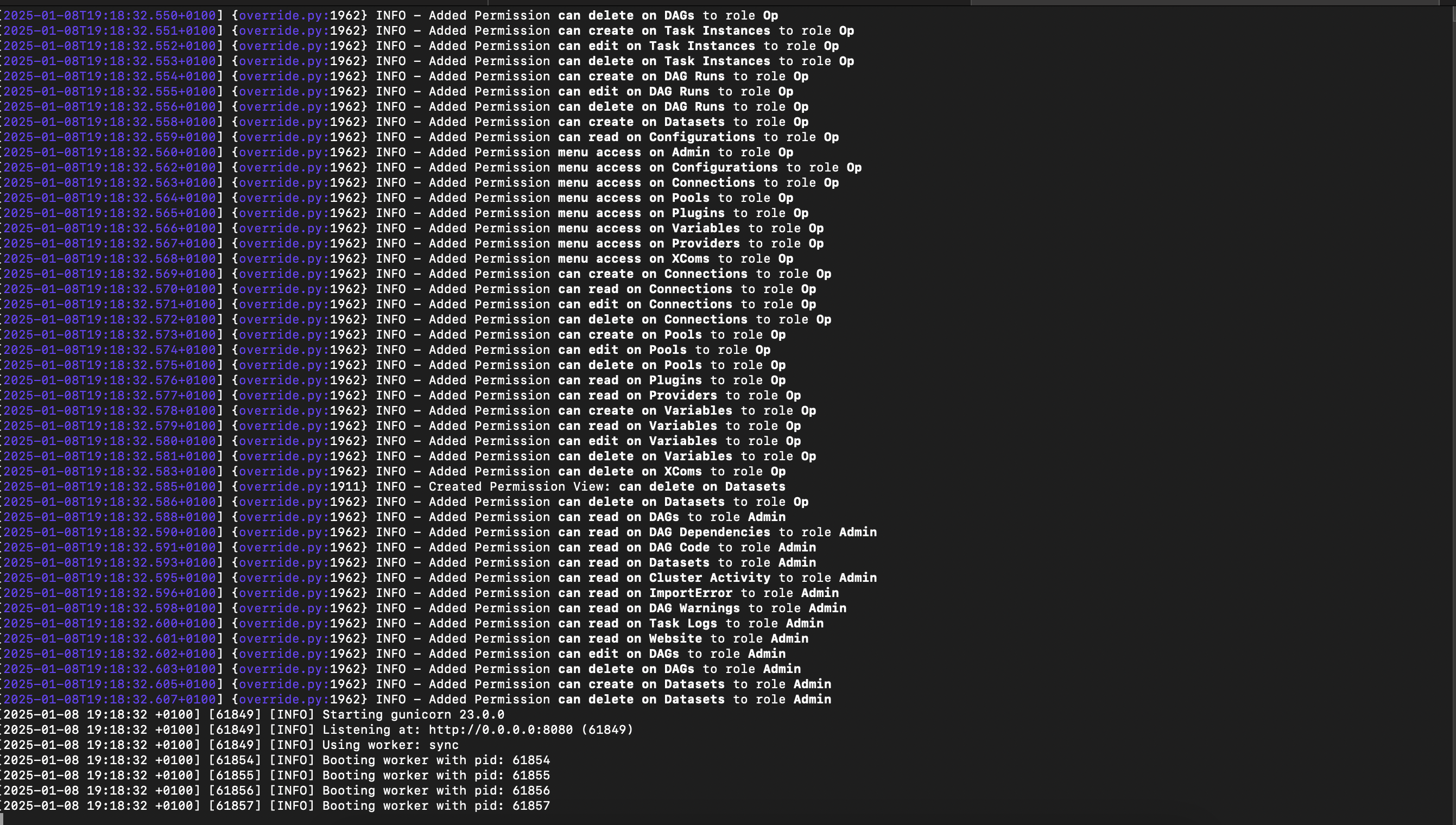
Create a Workflow (DAG):
from airflow import DAG
from airflow.operators.bash import BashOperator
from datetime import datetime

default_args = {
  'owner': 'airflow',
  'start_date': datetime(2024, 1, 1),
  'email': ['alerts@example.com'],
  'email_on_failure': True,
}

with DAG('spark_etl_pipeline', default_args=default_args, schedule_interval='@daily') as dag:
 #Update with the absolute path to your script
 spark_etl_task = BashOperator(
     task_id='spark_etl',
     bash_command='python3 /absolute/path/to/sales.py',  # Replace with the actual path to sales.py
 )

 #Example additional tasks for data verification
 verify_task = BashOperator(
     task_id='verify_results',
     bash_command='echo "Verification complete!"'
 )

 #Define the workflow
 spark_etl_task >> verify_task
In this DAG: The schedule_interval='@hourly' ensures the ETL pipeline runs every hour. The bash_command executes the PySpark ETL script (sales.py). Email alerts notify the owner in case of failures.
Monitor Your Workflow:
Move the DAG file to Airflow’s dags/ directory:
mv spark_etl_pipeline.py ~/airflow/dags/
Restart Airflow services:
airflow scheduler
airflow webserver
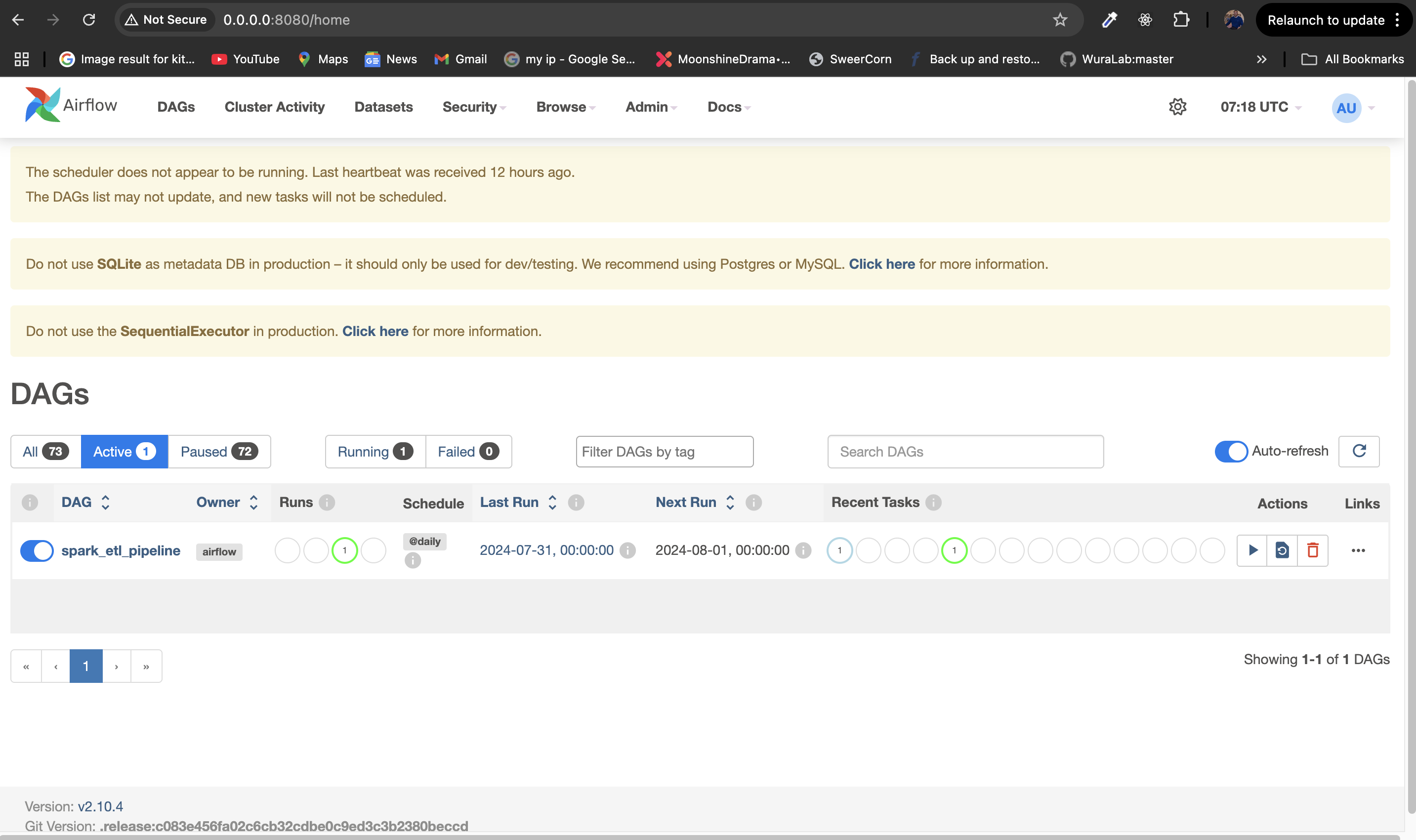
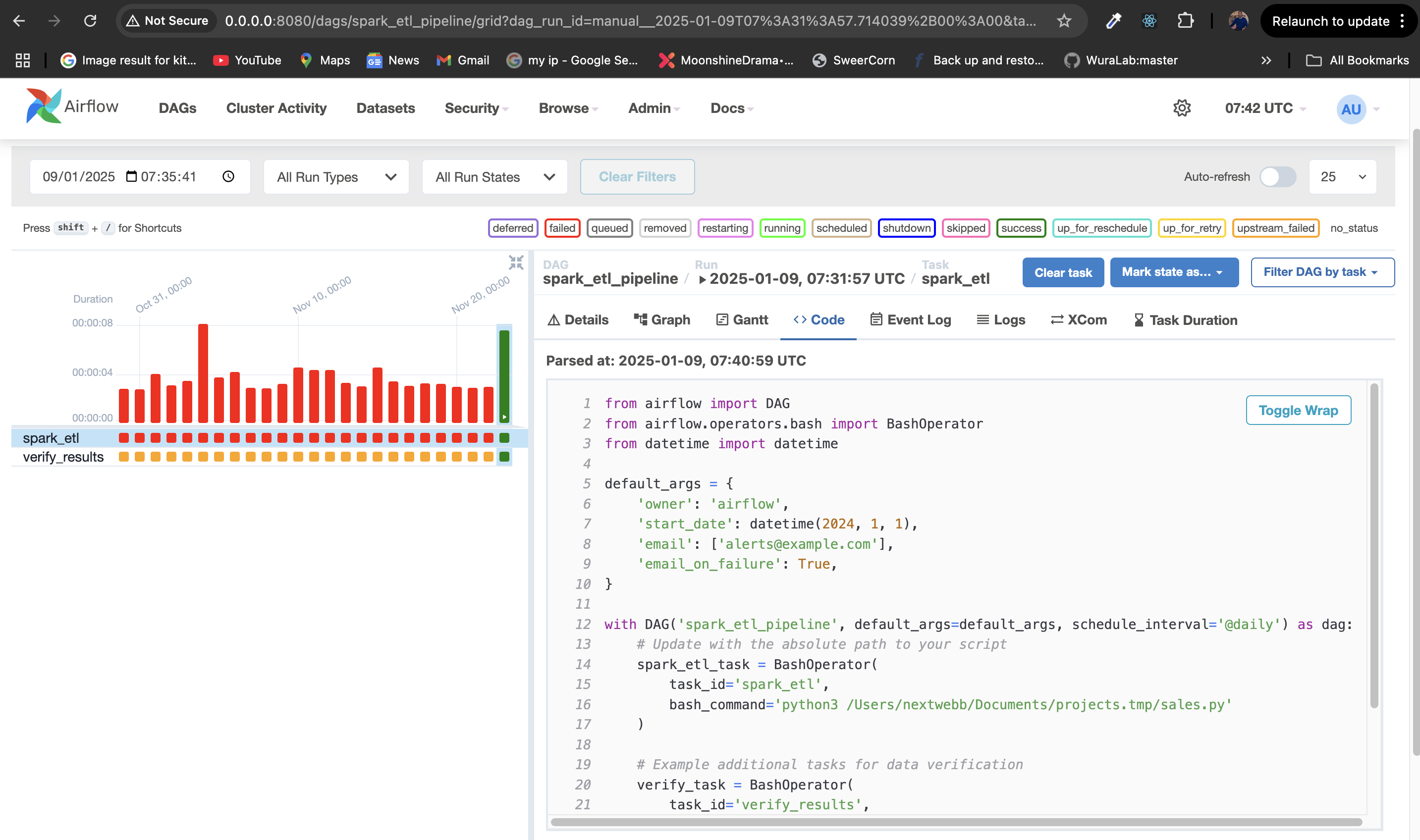
Check the spark_etl_pipeline DAG, and ensure it is enabled. Trigger it manually to validate.
Open the Airflow UI at http://localhost:8080. Check task statuses and logs.
4. Monitoring
Monitoring ensures pipelines run reliably. You can use tools like Airflow’s alerting system or integrate with Grafana and Prometheus.
From the Airflow UI
- Task Status: Check the Graph View at http://localhost:8080 to monitor task states:
- Green: Success
- Red: Failure
- Yellow: Running
- Grey: Queued/Skipped
- Logs: Click on a task instance to view logs for debugging.
Wrapping Up
Congrats! 🎉 You’ve learned how to:
- Set up storage with PostgreSQL.
- Process data using PySpark.
- Automate workflows with Airflow.
- Monitor systems for reliability.
Data Engineering as a Career Focus
Data engineering is the backbone of modern data workflows. It focuses on building systems that collect, store, and process data efficiently, enabling teams like analysts, data scientists, and business stakeholders to extract value from it.
While it primarily involves skills like coding, system design, and infrastructure management, data engineering often intersects with adjacent fields: backend development (e.g., APIs, database schema design), DevOps (e.g., CI/CD pipelines, infrastructure as code), and data operations (e.g., managing ETL workflows and ensuring data reliability).
Whether you're orchestrating workflows with tools like Apache Airflow, processing massive datasets with Apache Spark, or managing databases like PostgreSQL, your role is pivotal in enabling data-driven decisions.
Start small, explore, and grow your expertise! 💪
If you have any inquiries or wish to gain additional knowledge, please get in touch with me on GitHub, Twitter, or LinkedIn. Kindly show your support by leaving a thumbs up 👍, a comment 💬, and sharing this article with your network 😊.
References to Explore Further:
About the author
SWE | Avid learner | Technical director @repotecc | open-source contributor | Web enthusiast | Community lead @DscOui and developer advocate
Comments
Join the discussionNo comments yet. Be the first to comment.